
Updated 2026-11-10
User Guide
Silent printing uses the Reliqra Print Bridge, an installed desktop application plus its native helper. The app gives you a visible place to check the installed version, browser registration, printer queues and recent local job outcomes. The helper sends labels to a queue already installed in macOS or Windows. It is not limited to one printer brand. The manual Print PID label action keeps Chrome's normal print dialog as a fallback.
The extension's Markets card requires a current Reliqra sign-in. Signed-out or expired sessions cannot ask the helper to discover queues, change bridge settings, print a test, reprint or submit automatically. The read-only desktop app can still show local queues and diagnostics. The account bearer token stays in the extension and is never sent to the helper or written to local print history.
Print Bridge 1.0.0 is the current public release for macOS and Windows. Each installer is signed, and the Windows package uses the same Reliqra Q identity as the installed app. The Print Bridge controls are in the Reliqra extension on the Chrome Web Store. Use the latest version of the extension, then verify one label on your printer and stock before enabling live-show printing.
Small-label browser fallback: the browser-dialog fallback for 1.5 × 1-inch labels has not been verified on physical stock and remains a known limitation. Prefer Print Bridge. Use the latest version of the extension, check the full preview and verify one label before relying on fallback. Never print a clipped preview.
- The Reliqra browser extension, signed in to the same Reliqra account used by your apps and portal.
- The Reliqra Print Bridge installed on the computer running Chrome, Vivaldi, Edge, Brave or Chromium.
- A printer installed as an operating-system queue. Reliqra uses that queue and its driver; no vendor web service is required.
- Label stock matching the size selected in Reliqra.
- A way for Reliqra to see each sale. On the Markets tab, Sale Detection offers two modes. Page watches your Whatnot seller live dashboard (whatnot.com/dashboard/live/...), kept open in that browser for the whole show. Whatnot API prints from Reliqra Cloud sale events with no Whatnot tab open; it needs Whatnot connected in Reliqra Cloud (Settings › Connections). In both modes the extension and Print Bridge do the printing, so keep that browser running.
Printing a label does not spend a Lookup.
Open the Reliqra dock and choose Markets. The Live label printer card shows the helper and installed queues.
- Sign in from the dock's Identify tab. Native setup stays hidden while signed out or expired.
- Download and install Reliqra Print Bridge from Print Bridge.
- Open Reliqra Print Bridge. Confirm Native helper — Installed, Browser integration — Registered, and the expected queue. The app is diagnostic only; it cannot print or bypass the extension.
- Confirm the printer appears in the operating-system settings and can print from another application.
- In Live label printer, select the exact Printer queue.
- Select the loaded Label size:
- 1.5 × 1 in
- 3.5 × 1.125 in
- 2.25 × 1.25 in
- 2 × 1 in
- Choose the queue's DPI: 203, 300 or 600.
- Match the queue’s paper preset to the loaded stock. Label sizes the artwork, not the queue’s paper. On macOS, leave Queue media/profile blank only when the default is correct, or enter its calibrated CUPS token. On Windows, set paper/profile in queue preferences.
- Select Print test label.
- Inspect the paper before enabling automatic printing:
- exactly one label;
- readable PID and text;
- QR decodes as
assetly://product/999999(the fictional calibration ID); - correct orientation;
- no clipping;
- acceptable density.
The calibration label does not represent a real inventory item. An item-not-found result after scanning PID 999999 is expected. This checks the printed QR’s readability, not inventory lookup. To check the complete workflow, open an existing Whatnot order whose PID identifies an item already in your Reliqra workspace. In the extension, select Print PID label, scan that label, and confirm the same item opens in Reliqra while signed into that workspace. Printing does not require creating a new sale or selecting Fill Reliqra Data.
macOS installation
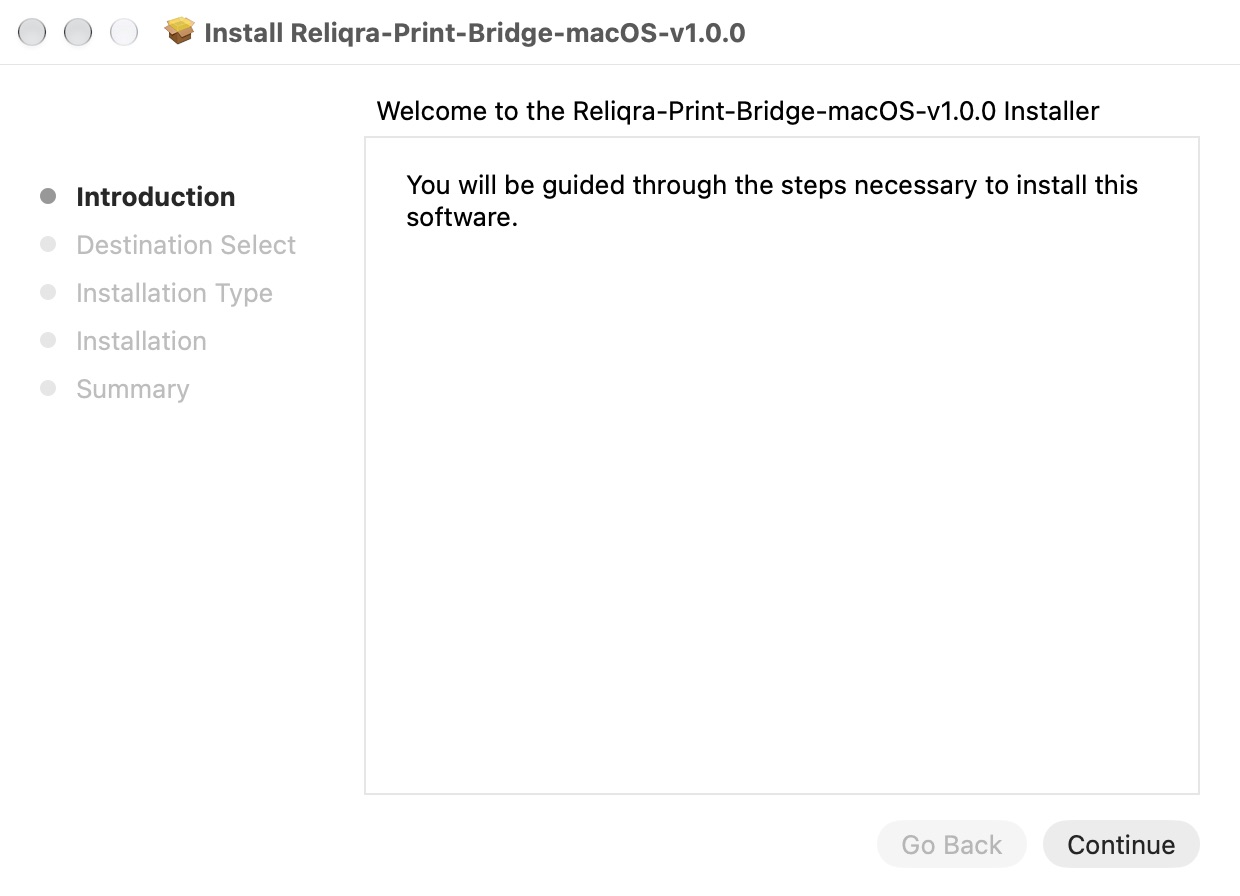
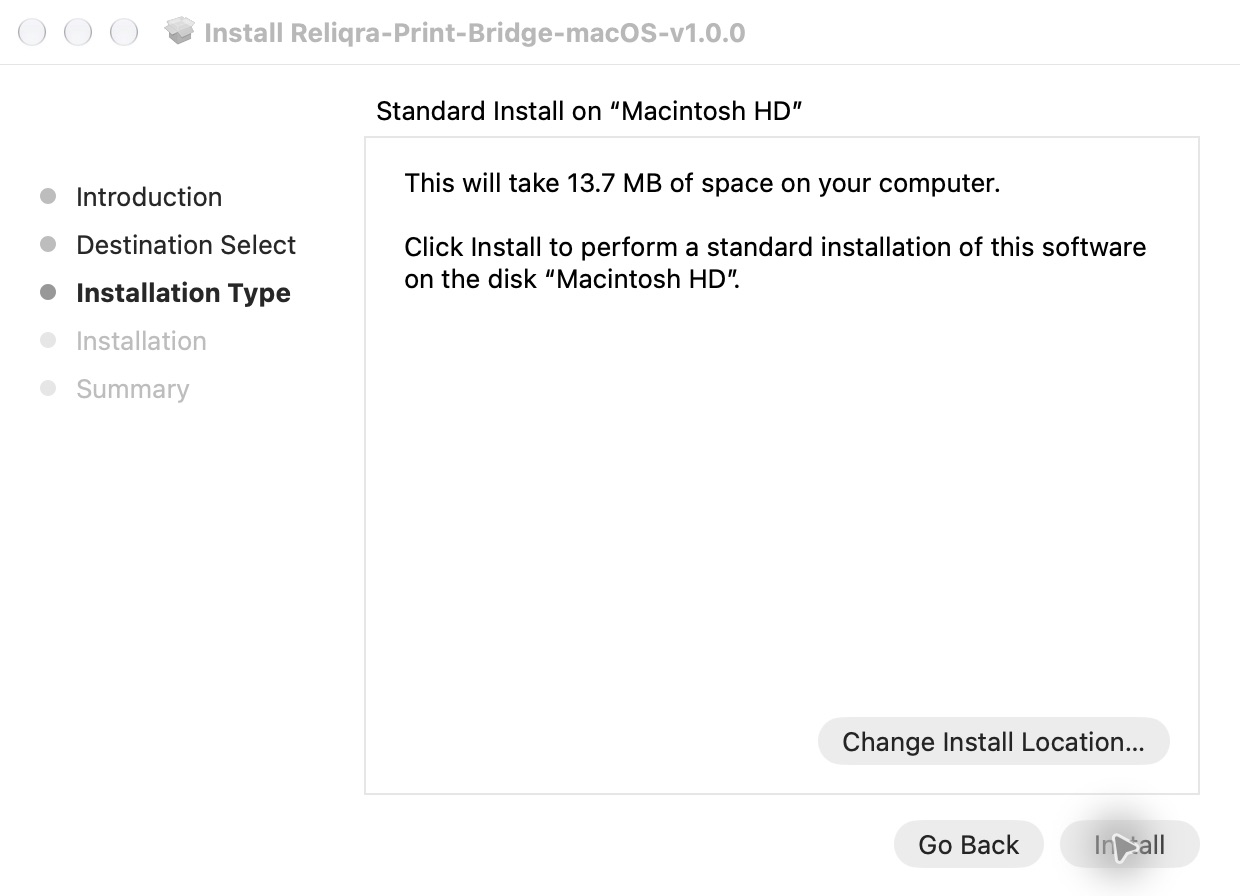
macOS verifies the signed, notarized package before installing. Finish the installer, then open Reliqra Print Bridge from Applications.
Windows installation
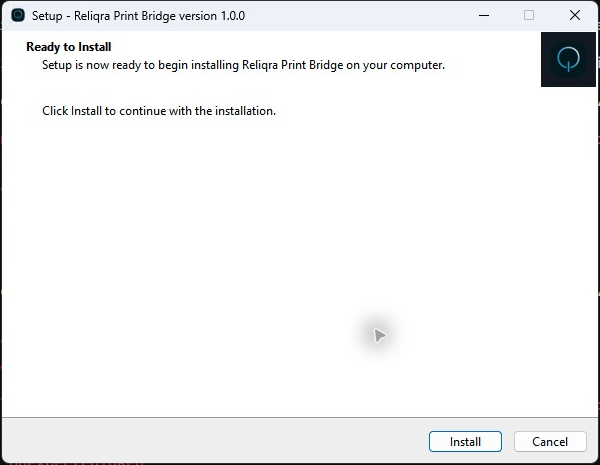
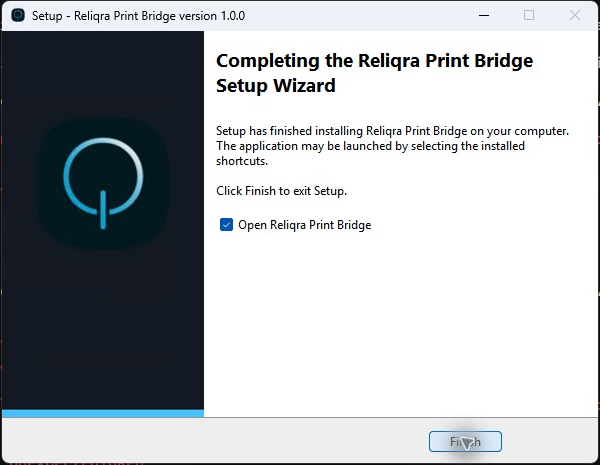
The installed app
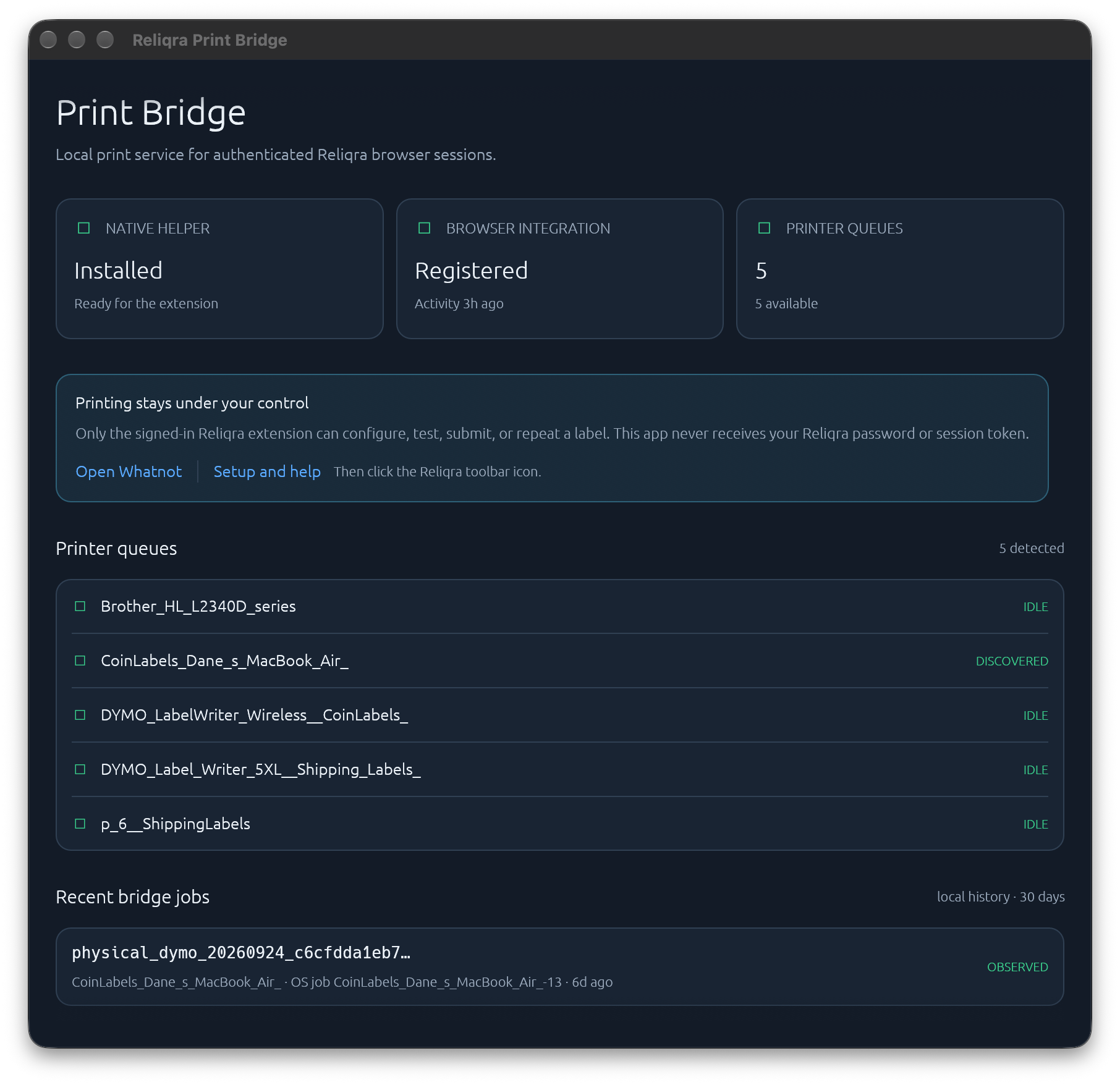
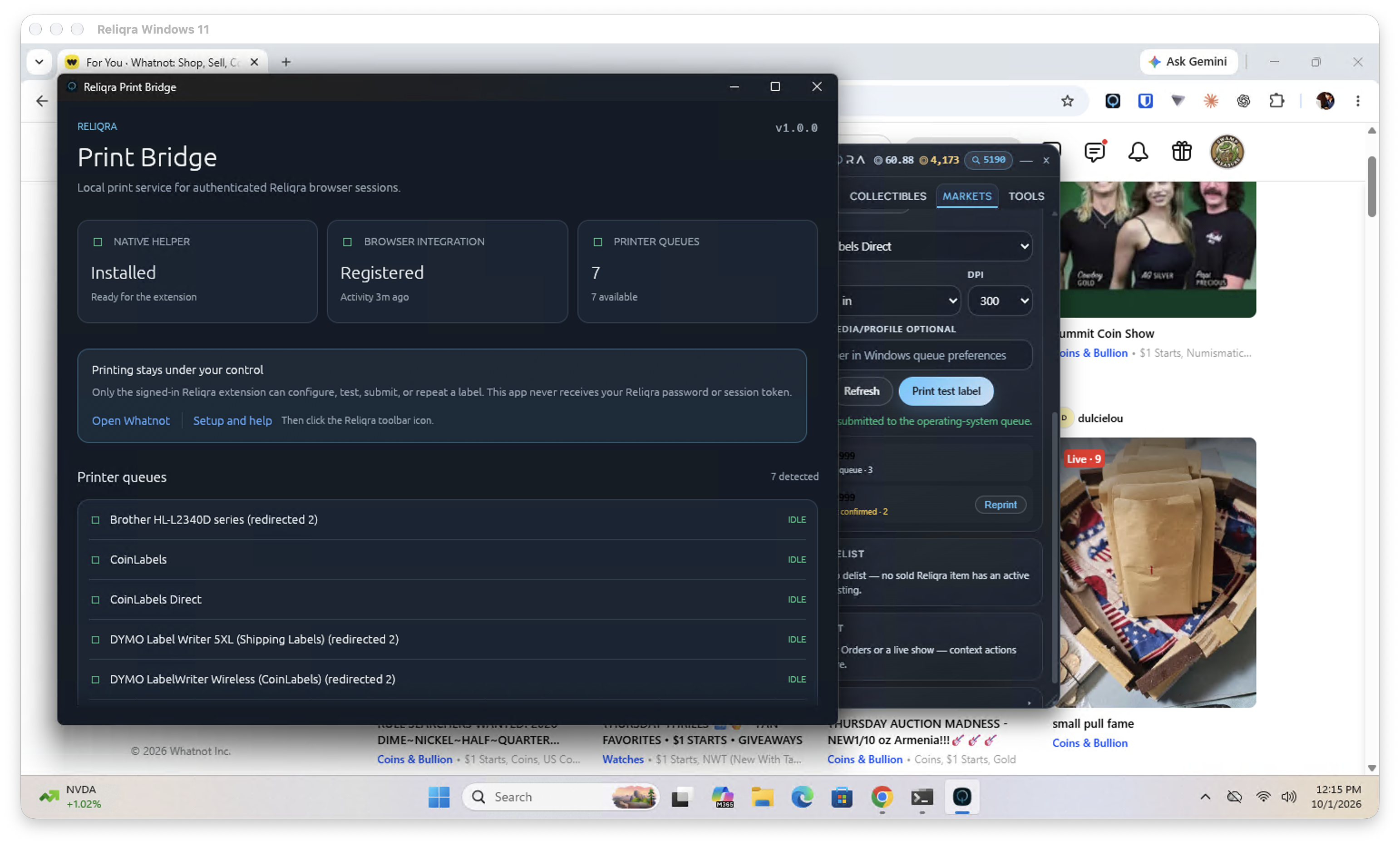
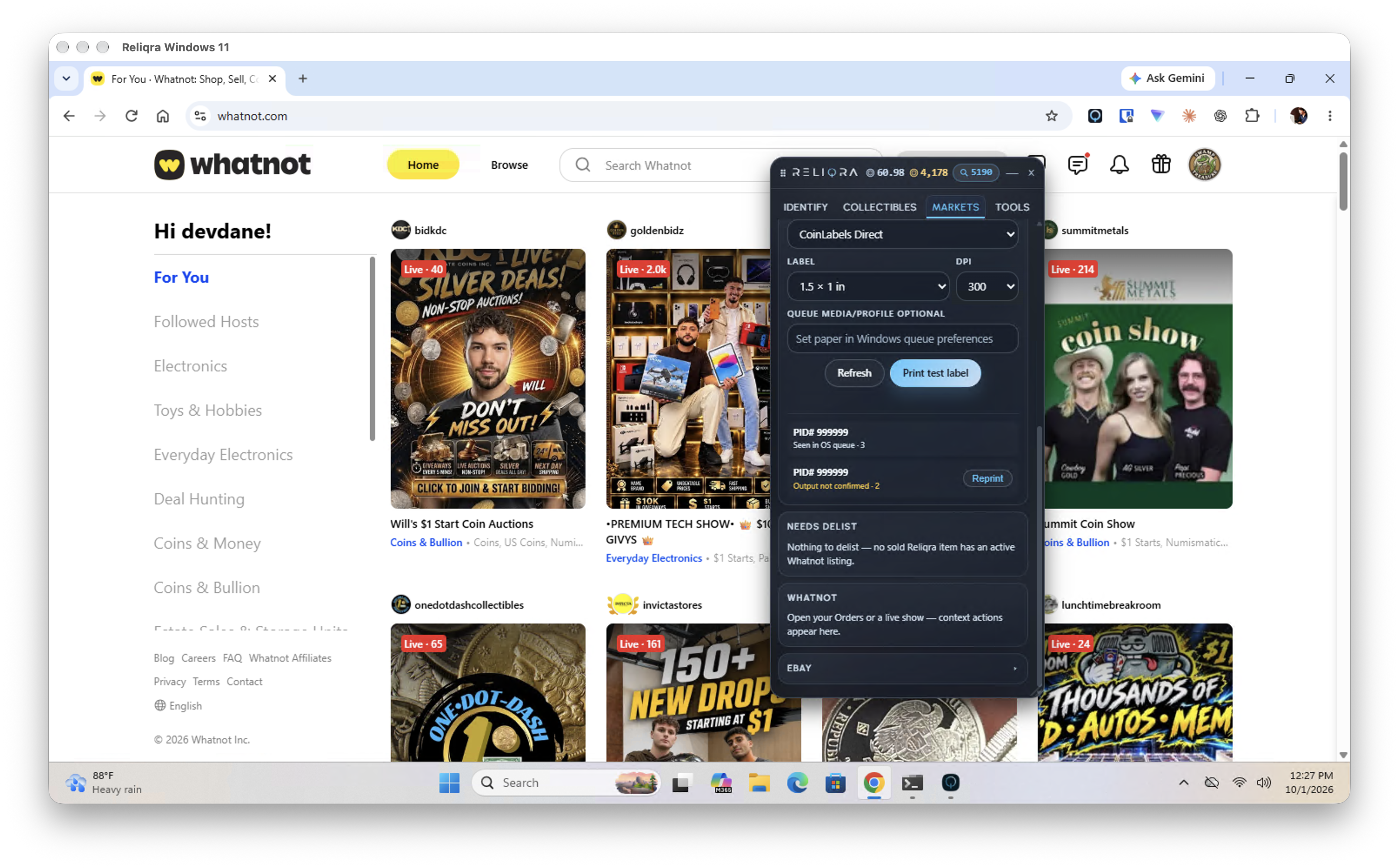
The status should read Ready through the Reliqra Print Bridge → [queue]. Ready confirms bridge connection and an available queue; it does not verify stock or paper output. Open Reliqra Print Bridge in Applications to see its installed version and diagnostics. The word Submitted means the operating system accepted the job; it does not prove that paper exited the printer.
On the Markets tab, turn on Auto-print on live. It is off by default.
Choose Sale Detection: Page or Whatnot API. Switching modes mid-show asks you to confirm each show again.
Auto-print remains silent-or-inert:
- with a ready Print Bridge and selected queue, Reliqra may arm and submit labels;
- without a ready native queue, Reliqra does nothing automatically;
- it never opens an operating-system print dialog in the middle of a show.
Manual Print PID label actions can still open Chrome's print dialog when the helper is unavailable.
The first time Reliqra sees sold items for a show, it asks what to do for that show. With Page, the question appears on your seller live dashboard. With Whatnot API, confirm the show from the Live label printer card on the Markets tab:
- Print all + auto-print new sales prints the visible backlog and then new sales.
- Auto-print new sales only records the current baseline and prints only later sales.
- Don't print — I'm just watching suppresses that show.
Nothing prints until you choose. Switching shows creates a new, unarmed scope. The configured Whatnot seller handle and detected live-show owner must agree; public watch pages stay read-only.
After you choose, the banner stays visible and its buttons stay disabled until the signed-in extension confirms the choice was saved. A temporary session refresh or printer check makes the same choice clickable again for retry.
Each label can include:
- PID;
- item title;
- buyer;
- order number and quantity;
- channel, sold price and date;
- grade and certification when present;
- QR payload assetly://product/{PID}.
The QR contract is shared with iOS and Android. An item without a PID has no QR.
Reliqra records a durable print intent before native dispatch. Repeated sale events, browser reloads and helper restarts reuse that intent instead of silently submitting another copy.
Recent attempts appear in the Live label printer card:
- Submitted — the operating system returned a job identifier.
- Completed — the operating system supplied a positive terminal result.
- Failed — the helper or queue rejected the job before ambiguous acceptance.
- Outcome unknown — the job may have reached the queue, but Reliqra cannot prove the result.
Reliqra never automatically retries an unknown attempt. Check the physical printer and operating-system queue first, then select Reprint deliberately. If a deliberate reprint was saved but the browser stopped before dispatch, select Resume to continue that same attempt.
- A show starts unarmed.
- A large unexpected Sold-list advance asks for confirmation again.
- A per-show cap stops runaway output.
- A stale or unavailable saved queue never falls through to another printer.
- Automatic printing never degrades to an interactive print dialog.
The card says “Not installed.”
Install the Reliqra Print Bridge for this computer, restart the browser if needed, and select Refresh. Manual browser printing remains available.
The desktop app says “Installed,” but the extension says “Not installed.”
Confirm Browser integration — Registered in the desktop app, restart the browser, then sign in and select Refresh in the Markets card. The desktop app proves local installation only; it does not authenticate or replace the extension connection.
The card says “Sign in.”
Open the dock's Identify tab and sign in to Reliqra. The extension's Markets card does not inspect the helper, queues or local print history until it has a current session. The read-only desktop app can still show local installation, queue and recent helper-ledger diagnostics; it cannot print or bypass the extension's sign-in requirement. If the session expired, sign in again.
The bridge is connected, but no enabled queue is available.
Open the operating-system printer settings. Add or enable the printer, confirm it can print outside Reliqra, then select Refresh.
My saved printer says “unavailable.”
Reliqra does not substitute another queue. Restore the saved queue or explicitly choose a different one.
The label is the wrong size or clipped.
Match the Reliqra label size, DPI, loaded stock and queue profile. For DYMO Wireless with 1 × 1½-inch stock, use the driver’s 30347 preset (w72h108 on the tested Mac), not 30256 Shipping. Printopia and direct queues can have different defaults. On Windows,
create a dedicated queue/profile for each label size if the driver cannot retain
those settings reliably. If the preview itself clips the PID or text, stop and
contact support with the preview, printer model and stock size.
Do I need DYMO Connect?
No. Reliqra Print Bridge does not use the DYMO web service or DYMO Connect as its runtime. It prints through the operating-system queue. Keep whatever printer driver Windows or macOS needs for that queue, whether the printer is DYMO, Zebra, Brother or another brand.
Which printers are supported?
Print Bridge is designed for enabled printer queues exposed by a working macOS or Windows driver. The physically exercised release setup is a DYMO LabelWriter Wireless using the 1.5 × 1 in preset at 300 DPI. Other brands and models are queue-compatible by design but have not yet been individually certified by Reliqra.
The attempt says “Outcome unknown.”
Do not click repeatedly. Check the paper and system queue. Use Reprint only after deciding another physical copy is needed.
A manual action opened Chrome's print dialog.
That is the intended no-helper fallback for an explicit manual print. Automatic live-show printing never opens it.
Print Bridge 1.0.0 installers are published for macOS and Windows at Print Bridge. Release checks verify the public files byte-for-byte against the signed packages before the page is updated. The extension is available from the Chrome Web Store; use the latest version. Store availability does not replace the one-label check on your printer and stock.